Email Marketing 101: The Complete Beginner's Guide for Small Business Owners
You've heard about email marketing, maybe even thought about starting it, but somewhere along the way, you convinced yourself it was "for big brands," "too complicated," or "not really necessary for a business like mine."
I get it. I used to think the same.
But here's what I've learned after years of building an online business, working with hundreds of entrepreneurs, and watching what actually works: Email marketing is one of the most powerful tools available to small business owners — and most people are sleeping on it.
By the time you finish reading this, you'll know exactly what to do, where to start, and how to make email marketing feel simple, doable, and even fun.
Let's get into it.
📚 What you'll learn in this guide
What Is Email Marketing and Why Should You Care?
Email marketing isn't something fancy. It's simply creating a direct line of communication with your audience — without having to beg the algorithm to show your content to people who have chosen to hear from you.
Think about that for a second. On Instagram or LinkedIn, you can post something brilliant, and only 3% of your followers will see it… if you're lucky. But with email? You decide when and how you show up. Your message goes directly to someone's inbox. And the people on your list chose to be there.
Why email marketing works for small businesses
Here's the part I love most about email marketing:
You own your list
If Instagram shuts down tomorrow, your email list is still yours.
You build a real connection
Email is where you let people into your world, your thinking, your story, and your expertise.
You convert more
People who receive emails from you are more likely to buy from you than someone who saw one post in their feed.
You set the pace
No need to post daily. Send when you have something worth saying.
The myth: No, you don't need thousands of subscribers
In email marketing, engagement and connection beat numbers every single time.
I once deleted over 300 cold subscribers from my email list — people who hadn't opened or clicked any of my emails in the last 90 days. A smaller, engaged list will always outperform a bloated, unresponsive one.
We're building connections here, not chasing numbers.
Getting Started: 3 Things You Only Need
1. An email platform to send your emails
This is the tool you'll use to build your list, design your emails, and track how they perform. Here are three excellent options for beginners:
Kit (formerly ConvertKit)
Best for beginners and growing creators. Free for up to 10,000 subscribers. Highly recommended because it's straightforward, powerful, and free to start.
Flodesk
If you love beautiful, designed templates and want your emails to look stunning with minimal effort. Flat monthly pricing — no increase as your list grows.
Substack
Super simple. Works well if you want to build a newsletter community and eventually monetize your writing. Great for creators and educators.
Our recommendation for beginners: Start with Kit (formerly ConvertKit). It's free up to 10,000 subscribers, easy to navigate, and gives you everything you need to build your list, create automated sequences, and track performance.
2. A simple opt-in form or landing page
This is where people sign up to join your list. Every email platform mentioned above gives you this automatically. You'll get a simple form or landing page link that you can share anywhere — your Instagram bio, your website, or your WhatsApp status.
Your landing page doesn't need to be elaborate. It just needs to clearly tell people what they'll get for signing up and make it easy for them to do so.
3. A welcome email
When someone joins your list, they should hear from you right away. A welcome email is your first impression. It sets the tone, tells them who you are, and lets them know what to expect. We'll cover what to write in that email later in this guide.
That's really it. Nothing complicated. Just those three things, and you're ready to start.
But Before You Write a Single Email, Do This
Here's a mistake most people make when they start email marketing: they jump straight to "what should I send?" without first answering the more important question — "who am I actually talking to?"
Before you write a single email, you need clarity. And clarity starts with your people.
Step 1: Define who you actually want to talk to
Not "everyone." Not "anyone who's interested." Your specific, ideal reader. The person who would benefit most from what you know and what you offer.
Think about that person. Give them a name if it helps. What do they do? What keeps them up at night? What are they trying to figure out? What would they absolutely love to receive in their inbox?
The more specific you are about who you're writing to, the more your emails will feel personal — even to people you've never met. That's the magic of good email marketing.
Step 2: Write down 3 things they care about
Once you know who your reader is, identify three specific things they care about. These become your content compass — the filter through which every email you send should pass.
Every email you send should relate to at least one of those three areas. This keeps your content relevant, your list engaged, and your brand focused.
Action Plan
- 1Write down who your ideal email subscriber is. Be specific about their age, situation, and what they're trying to do.
- 2Write down 3 things they care about most. This is your content compass.
- 3If you haven't already, create your Kit, Flodesk, or Substack account today.
The Bigger Question: How Do I Grow My Email List?
Now that your email platform is set up and you're clear on who you're talking to, the next question on your mind is probably: "How do I actually get people onto my list?"
You can't just say "subscribe to my newsletter" and expect a crowd to come rushing in. You've got to give people a reason to sign up. Something that makes them think: "Oh, I actually need this."
That's where lead magnets come in.
What is a lead magnet?
Just like the name says… it's something that attracts (or "magnetizes") the right people to you. Think of it as a free resource you offer in exchange for someone's email address.
But here's the key: it has to be genuinely valuable and directly relevant to what you do. A great lead magnet gives people a taste of your expertise — something small but useful — so they'll want to stick around for more.
How to create a lead magnet in 3 steps
Step 1: Identify ONE key problem your audience is facing
Start by asking: "What's one problem my audience constantly struggles with?" Then create something that helps solve that problem.
Examples by industry:
🏥 Health & Wellness
A 3-day meal plan, a quick workout guide, a stress management checklist
📈 Marketing & Business
A content planning template, a client onboarding checklist, a pricing guide
💵 Finance
A budgeting spreadsheet, a savings tracker, a beginner's guide to investing
🎨 Creative Services
A portfolio review checklist, a client brief template, a rate card guide
The key is alignment. Your lead magnet must connect directly to your brand and what you offer. If your audience wants business tips, don't offer a recipe book.
Pro tip: Once you have an idea, you can actually ask your audience if they'd be interested before you spend time creating it. Post about the idea. Run a poll. This builds anticipation and validates your concept before you invest hours into making it.
Step 2: Make it irresistible
You're not just creating any freebie — you're creating something that makes people think "I need this right now." Here's how:
- 1Know your audience. What problem keeps them up at night? Your lead magnet should be the answer to that specific headache.
- 2Solve ONE specific problem. Don't try to fix everything. The more focused it is, the faster people will grab it.
- 3Pick the right format. Choose something quick to consume and easy to apply. A 5-step checklist will always outperform a 40-page ebook.
- 4Showcase your expertise. Give people a taste of your brilliance. Make them think "Wow, if this is free, what's the paid stuff like?"
- 5Design it well. We eat with our eyes first. Use a clean, simple design — Canva is your best friend here.
- 6Hint at what's next. Use your lead magnet to point people toward your next step — a service, a product, or something they can look forward to.
And please — don't overthink it. Start with what you know. Ask yourself: "What's one tip or process my audience keeps asking me about?" Turn that into a checklist, a mini-guide, or a short resource. That's your lead magnet.
Step 3: Set up your landing page and put the link in your bio
Once your lead magnet is ready, you need somewhere to send people to get it. That's your landing page — a simple, one-page site that explains what your freebie is and why someone should grab it.
Your landing page needs:
- →A headline that catches attention
- →A short description of the value they'll get
- →A simple form for their name and email address
- →A clear call-to-action button — something like "Send it to me!" or "I want this!"
Most email platforms (Kit, Flodesk, Substack) already have landing page templates you can customise in minutes. Once it's live, you'll get a unique link you can share on Instagram, LinkedIn, in your bio, in your WhatsApp status — anywhere.
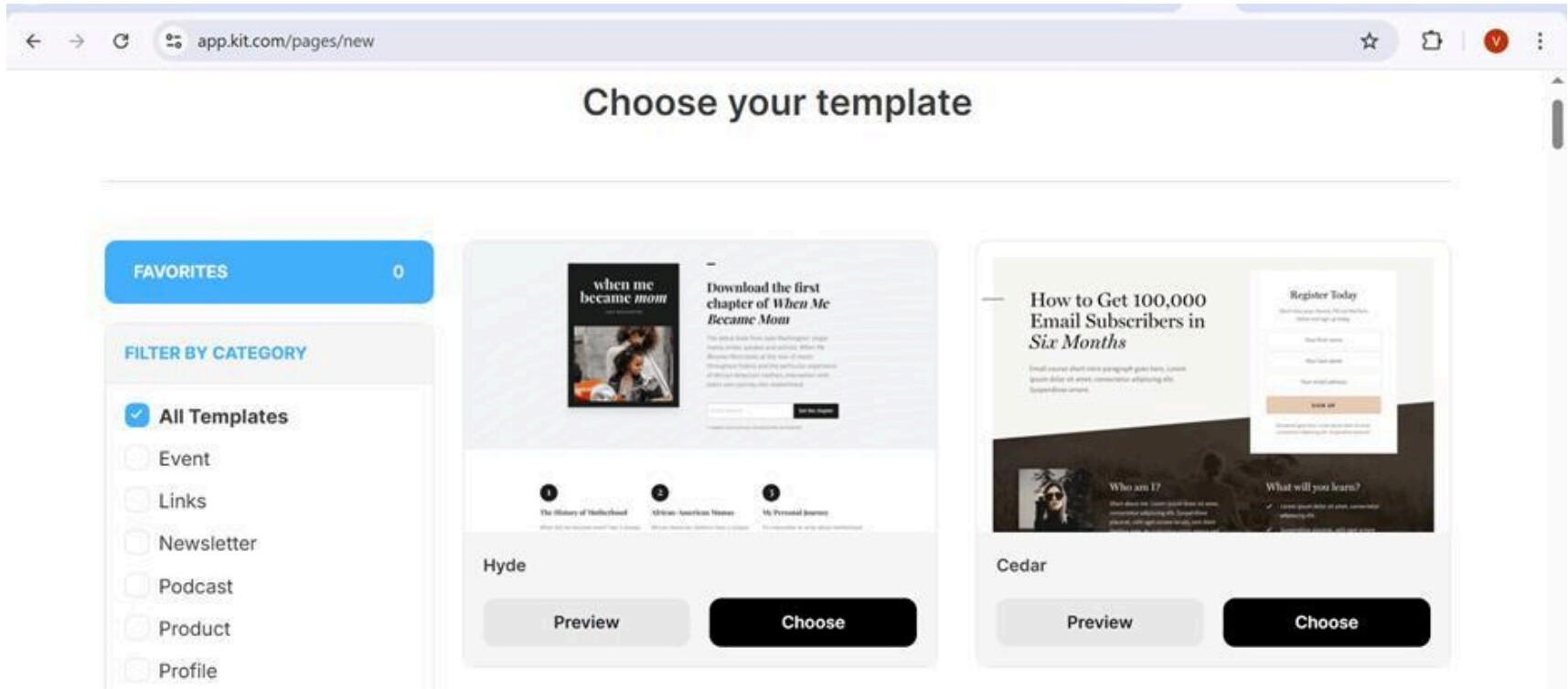
And once your landing page is live, put the link in your social media bios immediately. Having it there makes you look more professional and ensures you're capturing leads even when you're not actively promoting it.
Action Plan
- 1Brainstorm one lead magnet idea your audience would genuinely need and love.
- 2Create that lead magnet (keep it simple. You can design it on Canva or Google Docs).
- 3Set up your landing page to collect emails.
- 4Add the link to your social bios.
- 5Create content surrounding this problem your lead magnet solves at least twice a week to promote it and drive eyes to your landing page.
- 6Track how many people sign up — even if it's 3 people, celebrate it. Growth is growth!
ALERT: PDFs No Longer Work. Here's What to Do Instead
Before we go further, we need to have an honest conversation about lead magnet formats — specifically, the classic PDF or checklist.
In 2025, the PDF is losing its edge.
The internet is full of "free guides," "download our checklist now," and "get our ebook." And now, people can Google a checklist or ask ChatGPT and get the same information in a PDF in about 30 seconds. The public now scrolls past freebies that feel generic, recycled, or low effort.
If your lead magnet doesn't impress — even for free — it'll hurt your credibility instead of helping it.
So, what works instead? Here are three high-impact lead magnet formats we've used at Vezibility — with their actual numbers to show you why they work.
Webinars and Masterclasses
Webinars and masterclasses feel premium, exclusive, and high-value — even when they're free. They create a direct connection with your audience. People engage, ask questions, and remember you because of the experience.
Goal-Setting Masterclass (2024)
We hosted a Goal-Setting Masterclass specifically for event planners who wanted to increase their sales in the new year.
Result: Over 250 people registered.
Why it worked: It was specific, timely, and positioned to solve ONE clear problem. People signed up fast because they could see the impact immediately.

Stand-OUT Masterclass
Positioned for action-takers, this masterclass came with an Audit Guide as a bonus gift for everyone who signed up.
That simple combination of premium feel + practical value produced massive results.
It didn't feel like a freebie. It felt like an experience.
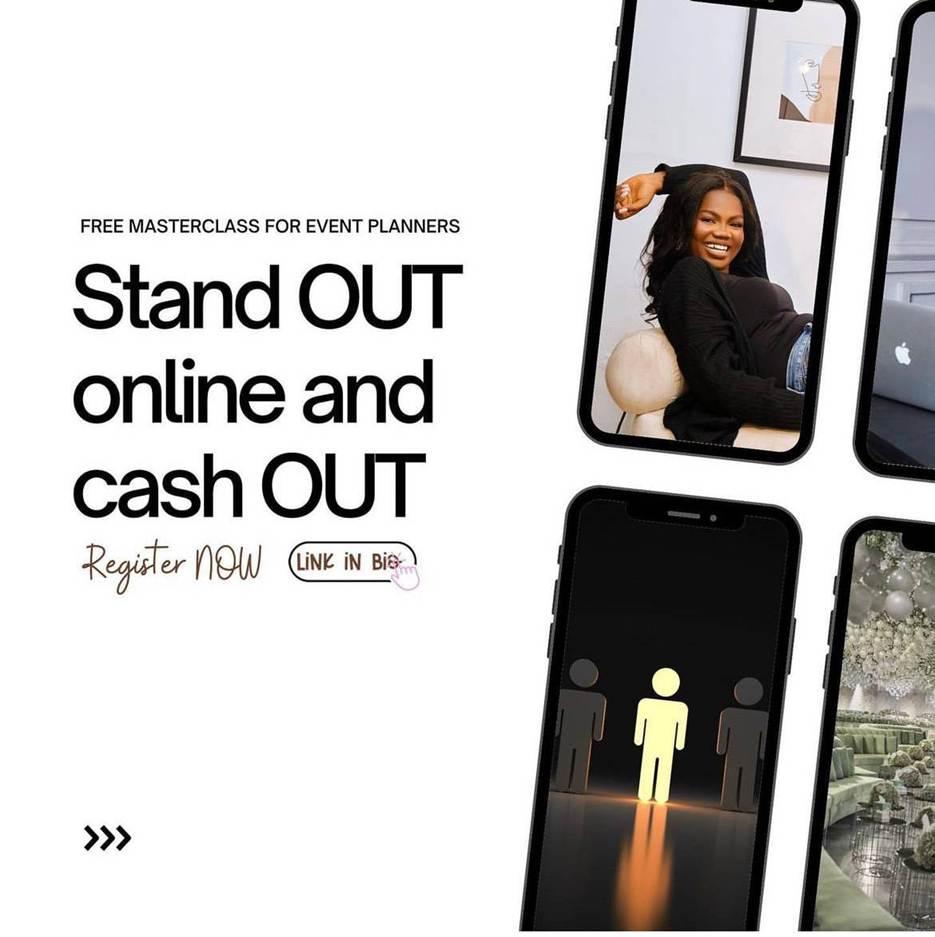
Key takeaway: Your webinar or masterclass should solve ONE focused pain point and be positioned so that missing it feels like a real loss.
Workshops
Workshops go even deeper than a masterclass. They can run for a day or multiple days and are highly interactive. Instead of just teaching about something, you guide people through something. They follow a journey, complete tasks, and walk away with actual results.
Mid-Year Reset Workshop
This workshop ran for a full day and included hands-on exercises that participants did in real time.
It helped attendees reflect, plan, and reorganise their business mid-year.
Result: 100+ registrations in both 2024 and 2025, without a single paid ad.
People signed up because they knew they were going to do the work, not just listen.
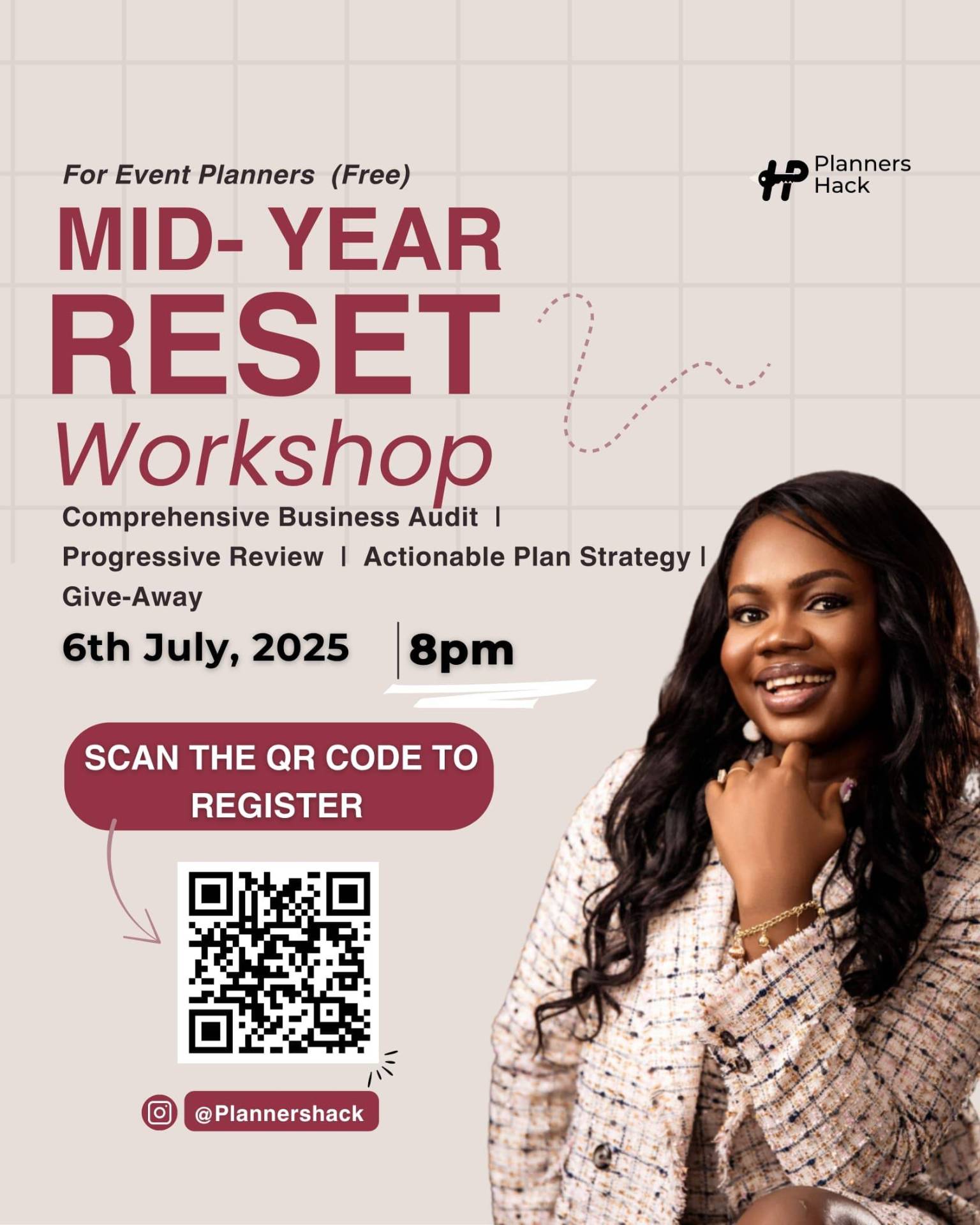
Key takeaway: Market your workshops as "limited seats," "live Q&A," "hands-on," or "guided implementation." When people feel like they're committing to a project, sign-ups come naturally.
Interactive and High-Value Resources
Templates, audit guides, quizzes, tools, calculators. These lead magnets work because the user doesn't just read — they do something. They interact, explore, analyse, and get a result.
Yes, some of these still come as a PDF — but the difference is they aren't just text. They're functional.
Interactive Resources That Converted
Both resources have 200+ downloads each.
The Financial Projection Template had built-in calculations, charts, and a guided structure — not a generic template you'd find online.
The Event Planners Audit introduced 5 audit lenses you won't find casually online — helping planners identify strengths, weaknesses, and next steps.
Why they worked: They were specific, functional, and easy to take action on. People didn't just download and forget. They engaged.
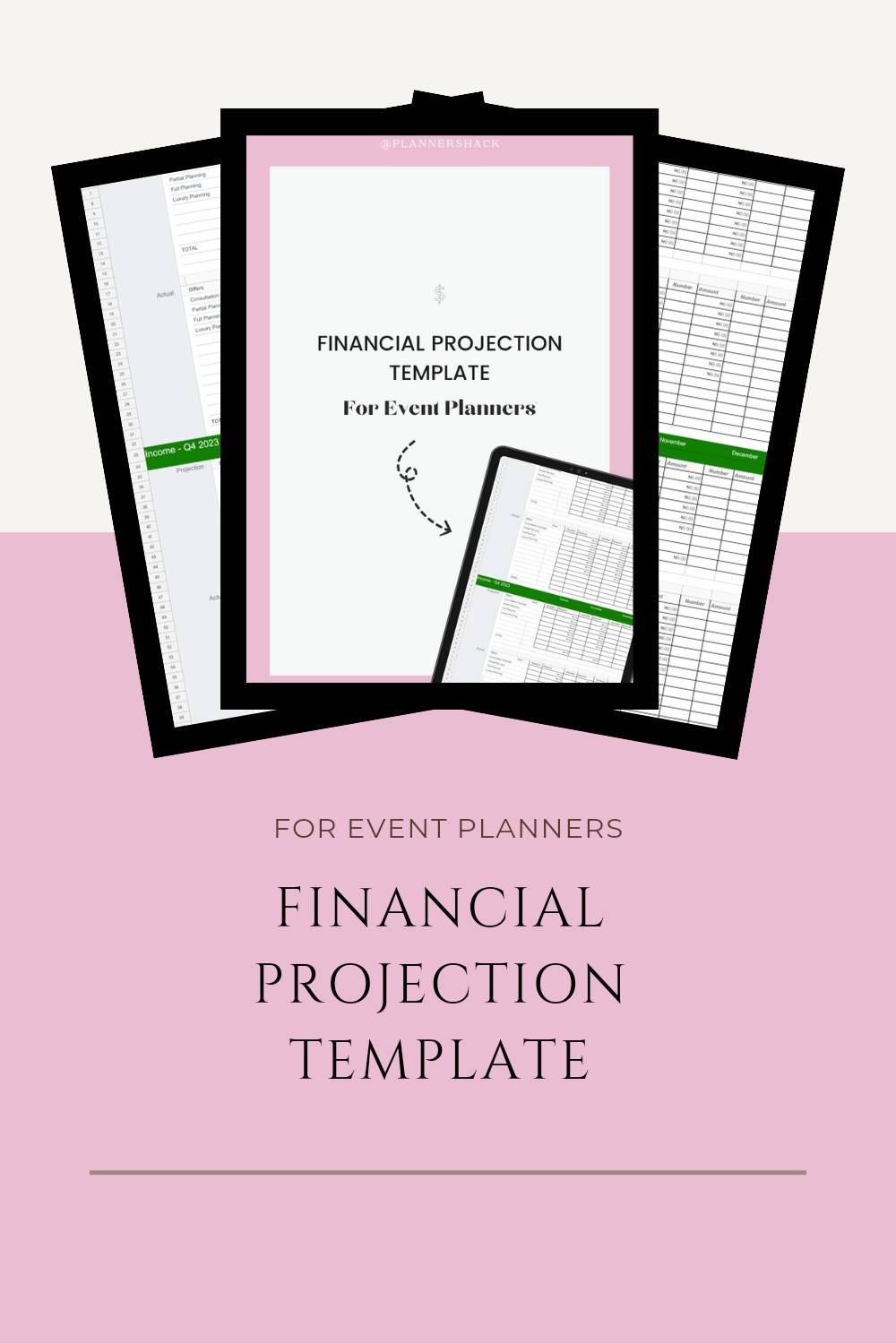

Key takeaway: Your interactive resource should solve ONE specific problem and offer a quick win. That's what makes it memorable, useful, and shareable.
P.S. The Visibility Scorecard is a great example of this in action. It's an interactive tool that helps business owners discover exactly where their visibility is breaking down, across 10 categories, in less than 7 minutes.
Saving Time with Automation: A Beginner's Guide to Zapier
Let's talk about something that most email marketing guides skip over — the fact that running a small business means you're already doing way too many things.
You're creating content, replying to enquiries, sending invoices, tracking leads, onboarding clients, and trying to stay creative. There are tasks you do almost every single day — tasks that quietly eat up hours you could spend growing your business.
Not every task deserves your time. Especially not when AI and automation tools can now handle the repetitive ones for you. And one of those tools is Zapier.
What is Zapier?
Zapier is like an invisible assistant that connects all the tools you already use and makes them work together automatically — without you lifting a finger.
Think about the tools you already use: Gmail, Google Forms, Notion, Google Drive, Calendly. Right now, you probably move information between these tools manually. Zapier eliminates that.
With Zapier, you create a "Zap" — an automation that connects one tool to another.
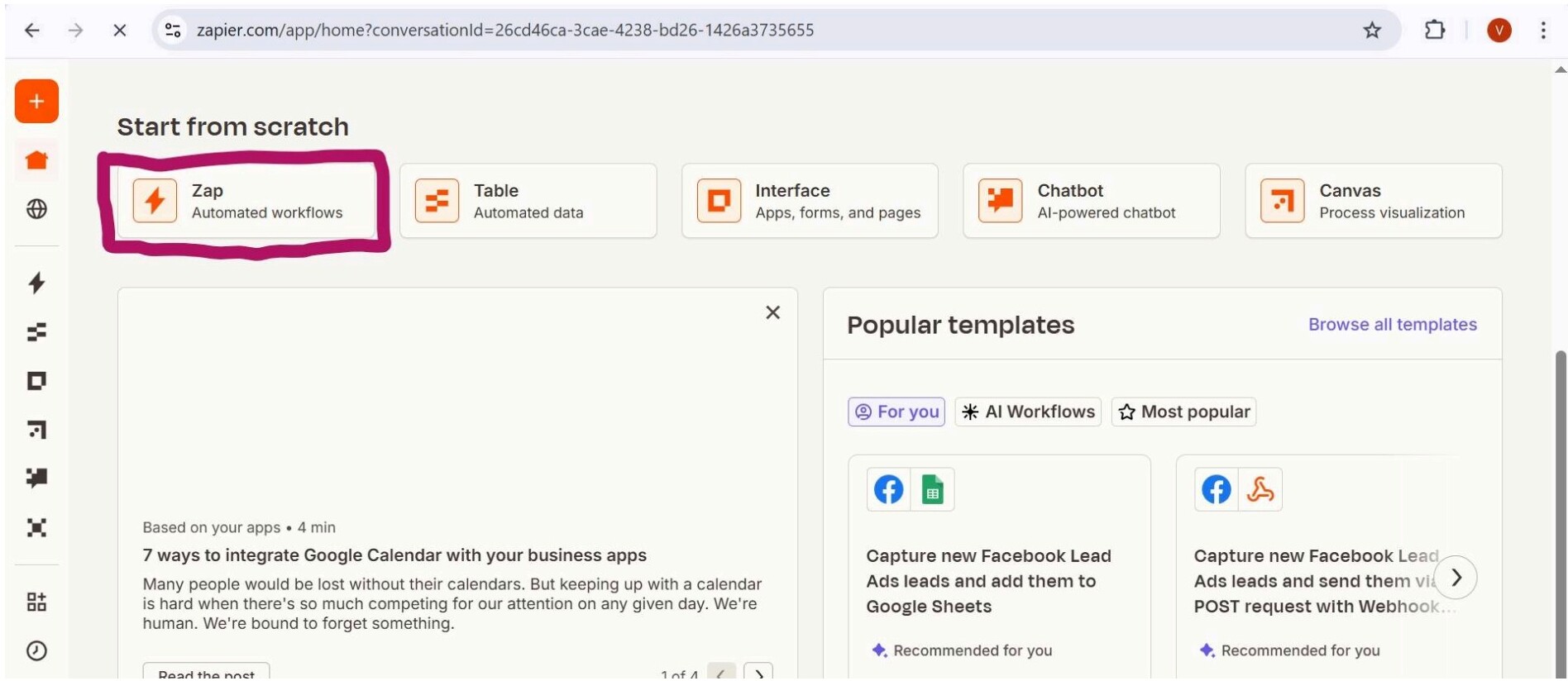
Every Zap has two parts:
⚡ The Trigger
The "IF" that starts the automation (e.g., someone fills out your Google Form)
🎯 The Action
The "THEN" that happens automatically (e.g., Zapier sends them a welcome email)
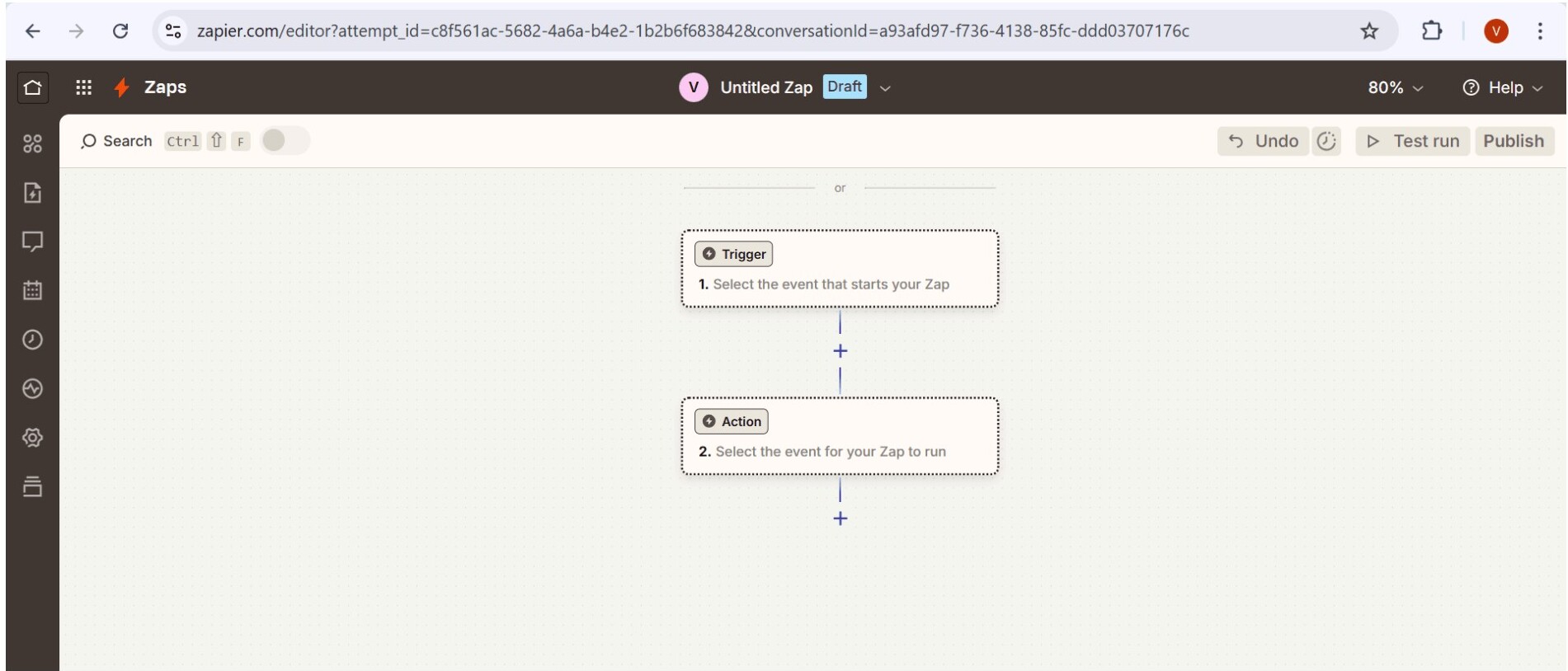
That's it. One small automation, and you've saved yourself time while increasing your response rate to leads.
What can you automate with Zapier?
- ✓Send a new lead an automatic thank-you or welcome message
- ✓Automatically send new clients their welcome package when they book
- ✓Send payment confirmations when someone pays via Paystack or Stripe
- ✓Add someone to your email list automatically when they book a call through Calendly
- ✓Send appointment reminders without ever manually following up
How to create your first Zap
- 1Go to zapier.com and sign up. Choose "Continue with Google" or use your email.
- 2Browse and pick the apps you want to connect. You'll see familiar ones like Gmail, Google Sheets, Google Forms, and more.
- 3Click "+Create Zap" and choose your Trigger App (e.g., Google Forms) and Trigger Event (e.g., "New Form Response").
- 4Choose your Action App (e.g., Gmail) and Action Event (e.g., "Send Email").
- 5Complete the setup, save, and test. Zapier will show you if everything is working.
And just like that, your first automation is live. The free plan gives you up to 5 single-step Zaps, which is more than enough to start.
Automation isn't just about saving time. It helps you stay consistent, never miss a follow-up, feel more organized, and let your business run even when you're resting. That's how smart entrepreneurs are growing without burning out.
What Do I Actually Write in My Emails? 🤔
This is the question that stops most people in their tracks. You've got your email platform set up. You've got a lead magnet. People are signing up. And then... you freeze.
"What do I even say?"
And it's not because you don't have anything to say. It's because you're overthinking it.
After years of writing emails that people actually reply to, I've learned this: your best content doesn't come from perfection. It comes from connection.
Think of email as your space — the one algorithm you actually control
Social media is borrowed land. You build an audience there, but the platform controls who sees your content and when.
Your email list is different. You own it. The people on it chose to be there. And when you show up in their inbox, you have their undivided attention.
It's where you build the kind of trust that eventually turns a reader into a buyer.
So, what should you write?
If you're ever stuck on what to write, start by asking yourself these three questions:
What do people always ask about my work or process?
What lessons or stories do I wish more people knew about my journey?
What behind-the-scenes moments could teach something valuable?
Your content doesn't have to sound like a TED talk. It just needs to sound like you talking to a close friend.
When you show up consistently — even when it feels small or imperfect — people begin to trust you. And trust is what everything else is built on.
How often should you email?
The short answer: choose a pace you can stay consistent with.
For most small business owners, biweekly works best. Twice a month is enough to stay top of mind without overwhelming your list or yourself. Sometimes, when you have something exciting happening (a new offer, a challenge, a series), you might email more frequently for a short period.
Whatever rhythm you choose, stick to it. Your audience will come to expect and look forward to your emails. That expectation is one of the most valuable things you can build.
Action Plan
- 1Sit with yourself and answer these 3 questions: What do people always ask about my work? What lessons from my journey? What behind-the-scenes moments teach something?
- 2Brainstorm 3–5 email topics based on your answers.
- 3Draft one short email using one of those ideas (Under 200 words, conversational, and simple).
- 4Decide your email frequency: weekly, biweekly, or monthly.
- 5Start a Content Bank — a running note on your phone or in Google Docs where you capture ideas anytime inspiration strikes.
Putting It All Together: Your Email Marketing System
Now, you have everything you need to build a functioning email marketing system for your business. Here's a recap of all you need to do:
Before You Go...
Email marketing isn't a "set it and forget it" game. It's about showing up, providing value, and building a connection that lasts — one email at a time.
And here's the part I most want you to remember: you don't need your emails to be perfect. You don't need a big list. You don't need the best template or the most sophisticated automation. You just need to start.
Once you hit send on that first email, you'll realise it's not nearly as scary as it seemed. And once you get your first reply — someone writing back to tell you that your email was exactly what they needed to hear — you'll understand why this channel is worth building.
Your audience is out there. They want to hear from you. And email is the best way to reach them — directly, consistently, and on your own terms.
Go build that list. You've got this. 🚀
Need help building your brand identity, email marketing strategy or creating a lead magnet that converts?
Let's Chat →